Modern Presentation Folder Design: Clean, Editable Templates
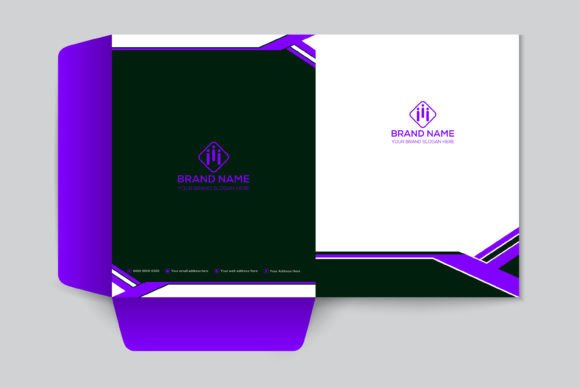
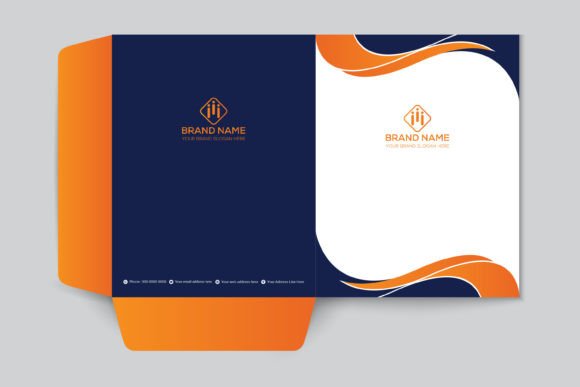
First impressions in business are often tactile. Before a client reads a single word of your proposal, they feel the weight of the paper and see the quality of the graphics on the cover. A Presentation Folder Modern Design is more than just a file holder; it is a strategic tool for brand identity. When you hand over a sleek, minimalist folder, you are signaling organization, modernity, and attention to detail. This specific design template bridges the gap between corporate professionalism and creative flair, offering a versatile solution for entrepreneurs, designers, and marketers alike.
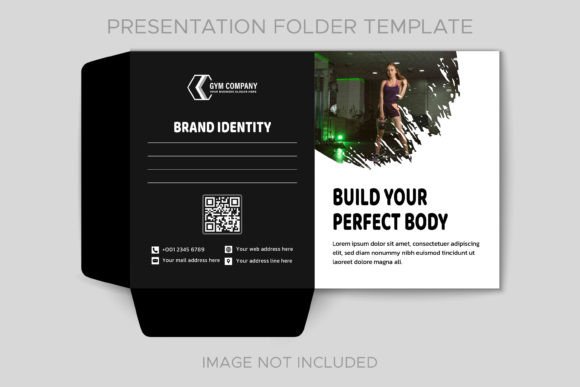
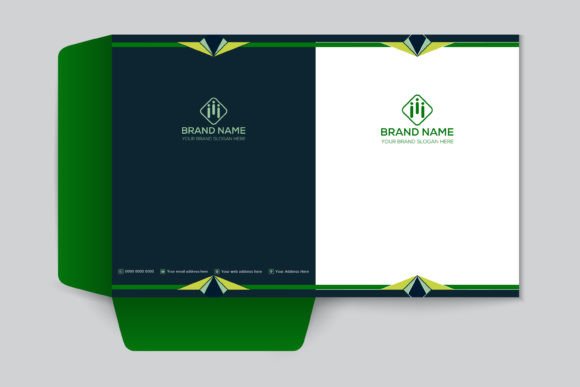
The visual personality of this template relies on a "less is more" philosophy. We have moved away from cluttered borders and overly complex gradients. Instead, the Presentation Folder Modern Design utilizes clean lines, ample white space, and a flat design aesthetic. This approach ensures that the viewer's eye is drawn exactly where it needs to go—your logo and your core message. The minimalistic style is not about being boring; it is about being intentional. It highlights the appropriate data, making the information hierarchy clear and accessible. Whether you are using a bold sans serif font for the header or a subtle serif font for the body text, the layout supports modern typography trends effortlessly.
Customization and Practicality
One of the biggest hurdles in design is the gap between the concept and the final product. This template eliminates that friction. The core value proposition here is flexibility: all main elements are 100% editable and customizable. You are not locked into a specific color palette or layout structure. If your brand identity demands deep navy and gold instead of the default grey and teal, you can make that switch in minutes. The files are structured specifically for ease of use, ensuring that even those with basic software knowledge can achieve professional results.
The technical specifications are built for reliability. The package includes Adobe Illustrator (AI and EPS) files, which are the industry standard for vector graphics. This means you can scale the design elements without losing resolution—crucial for high-quality print production. Speaking of printing, these are print-ready files with high-resolution JPGs included for previews. The inclusion of a vector icons set within the Illustrator file is a significant time-saver. Instead of hunting for matching icons for your contact information or social media links, you have a cohesive set ready to drag and drop. The use of free fonts also removes the barrier of additional licensing costs, making this a truly accessible asset for small business owners and startups.
Strategic Applications
Understanding where this design fits into your broader marketing strategy is key. A creative modern presentation folder design template is not limited to corporate boardrooms. Its versatility makes it suitable for a wide range of scenarios:
- Corporate Branding: Ideal for holding annual reports, investor packets, or employee onboarding materials. The clean aesthetic reinforces a stable, trustworthy corporate image.
- Marketing Pitches: For agencies and freelancers, the folder serves as a physical container for your portfolio. The modern design complements web design mockups and social media graphics printed on paper.
- Publishing and Editorial: Authors and publishers can use these to present manuscript outlines or media kits to potential partners. The professional finish elevates the perceived value of the content inside.
- Event Planning: Whether it is a wedding planner or a conference organizer, the folder keeps schedules, maps, and contracts organized in a visually pleasing package.
The design also influences how your audience perceives your brand. Consistency is the cornerstone of recognition. By using a template that allows for precise color matching and layout control, you ensure that your physical collateral matches your digital presence. This consistency builds trust. When a client sees the same color palette and typographic style on your website, your business card, and your presentation folder, it creates a cohesive narrative. It tells them you are detail-oriented and professional.
Designing for Impact
To get the most out of this asset, consider how the visual hierarchy guides the reader. The Presentation Folder Modern Design is intentionally structured to place your logo and tagline in the primary focal point. When customizing, resist the urge to fill every inch of white space. The negative space is there to let your brand breathe. Think of the folder as a frame for your business identity.
When evaluating the fit for your project, look at the font pairing potential. The template works well with a mix of typefaces. For example, you might pair a geometric sans serif font for headings with a humanist serif font for subheadings to create a balanced, approachable look. If your brand has a more luxurious feel, incorporating a subtle script font for accents can add a touch of elegance without sacrificing the modern edge.
Finally, consider the tactile experience. While we design on screens, the end product is physical. The clean lines and flat design elements of this template translate beautifully to various printing techniques, such as spot UV coating or embossing. These small details, combined with the high-resolution graphics, ensure that your presentation folder is not just a container, but a memorable part of your client's experience. It is a practical, stylish, and powerful tool for anyone serious about their visual communication.