Mobile First Design Brochure Templates: Streamline Your Projects
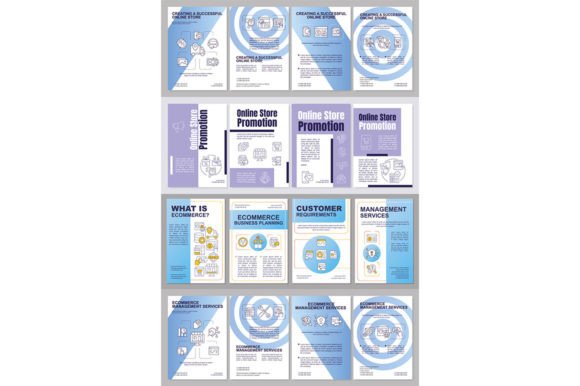
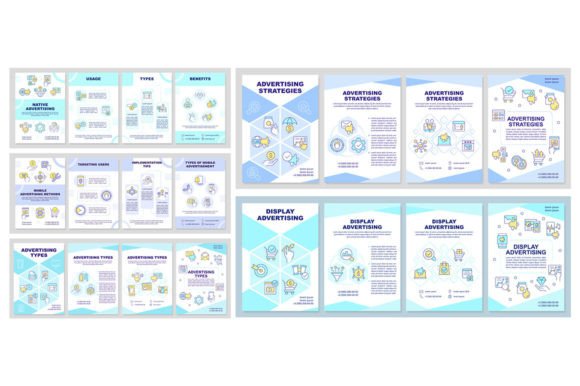
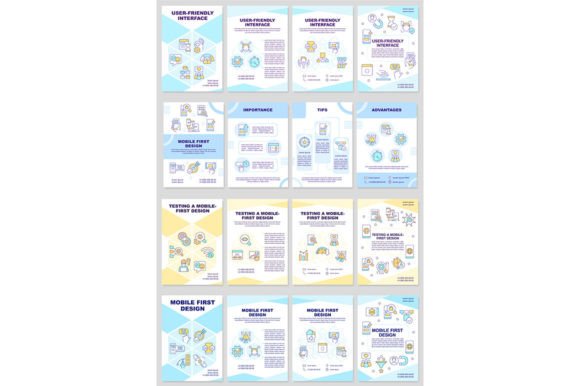
Designing for a mobile-first audience requires a specific visual language, and starting with a strong foundation is the best way to ensure your message lands effectively. The Mobile First Design Brochure Templates set is built to address exactly this need. It’s not just about shrinking content; it’s about rethinking layout and hierarchy for smaller screens first. This particular set offers four distinct vector layouts, each crafted with a clean, modern sensibility. The inclusion of linear icons adds a touch of sophistication without clutter, making these templates ideal for presentations, annual reports, or any project where clarity and professionalism are paramount.
A Visual Style Built for Clarity and Impact
At the heart of these templates is a design philosophy that prioritizes readability and visual flow. The style leans towards a clean, minimalist aesthetic, utilizing ample white space to let content breathe. The linear icons are not decorative afterthoughts; they serve as intuitive visual cues that guide the reader’s eye and break up text-heavy sections. This approach is particularly effective in editorial design and packaging design, where every element must earn its place. The overall appeal is one of modern sophistication—professional enough for corporate reports yet adaptable enough for creative portfolios or startup pitch decks.
The choice of typography reinforces this clarity. Using Arial-Black for headings provides a bold, confident presence, while Myriad Pro-Regular for body text ensures excellent readability across both digital and print mediums. This is a classic font pairing strategy: a strong display font for impact paired with a highly legible sans serif font for sustained reading. The result is a balanced visual hierarchy that directs attention exactly where you need it, whether on a key statistic in an annual report or a call-to-action in a brochure.
Practical Applications Across Industries
The true value of a premium font or template set lies in its versatility. These Mobile First Design Brochure Templates are designed as versatile design assets. Imagine a marketing team using them to create consistent internal reports that look polished on tablets during meetings. A blogger could adapt one layout for a media kit, establishing a strong brand identity that impresses potential sponsors. For small business owners, the templates offer a shortcut to creating professional-looking materials—like service menus or product catalogs—without needing a deep background in web design or print production.
The file formats included—EPS, AI, SVG, PNG, and JPEG—make this set highly practical. The vector formats (EPS, AI, SVG) allow for infinite scaling, which is crucial for everything from tiny social media graphics to large-format prints. The PNG and JPEG options on transparent or white backgrounds are ready for immediate use in digital presentations or quick social posts. This flexibility supports a wide range of projects, from crafting a cohesive logo design system to developing the core brand identity for a new app.
Choosing and Implementing Your Design Assets
When integrating any new design assets, a thoughtful evaluation is key. Start by assessing the project's core need. Is it for a one-time presentation, or will it form the basis of an ongoing series? The linear, structured style of these templates suits projects that value order and clarity—think financial summaries, tech product sheets, or educational materials. For a brand that embodies warmth and organic texture, a script font or handwritten font might be more appropriate, but for conveying efficiency and innovation, this modern typeface combination is spot-on.
Testing is a non-negotiable step. Before committing, place your own content into the templates. Check the readability of your specific text lengths and ensure the visual hierarchy still holds. Does a long product description overwhelm the layout? Does a short quote get lost? The goal is to see if the template enhances your message or fights against it. Remember, a template is a starting point. Adjusting the spacing, swapping out an icon, or tweaking the color palette can make it uniquely yours while retaining its professional backbone.
Finally, always be mindful of licensing. Since these are provided for both personal and commercial use, you can confidently use them for client work, business materials, or personal projects. Keeping your project files organized and understanding how the assets can be modified will save significant time. Whether you’re a designer looking to speed up your workflow or an entrepreneur building your first professional toolkit, investing in well-crafted, adaptable templates like this set is a practical step toward more efficient and impactful modern typography and layout design.